Trade the Statistics, Not the Noise
Most traders focus exclusively on where price is going, but professional algorithmic traders know that when you trade is just as critical.
The Trading Kernel Period Visualizer Pro for MT5 (v1.10) is a quantitative charting tool designed to map market timing. By analyzing thousands of historical bars, this indicator calculates the exact directional probabilities of specific time periods and visualizes them directly on your MT5 chart. Whether you want to know the probability of a bullish Monday, the average range of the London Session, or the historical movement of the 3rd week of the month, this tool provides the data instantly.
Period Visualizer Pro for MT5 Professional Feature Suite
-
5 Dynamic Profiling Modes: Switch seamlessly between Day of Week, Week of Month, Month of Year, Day of Month, or Custom Session visualization.
-
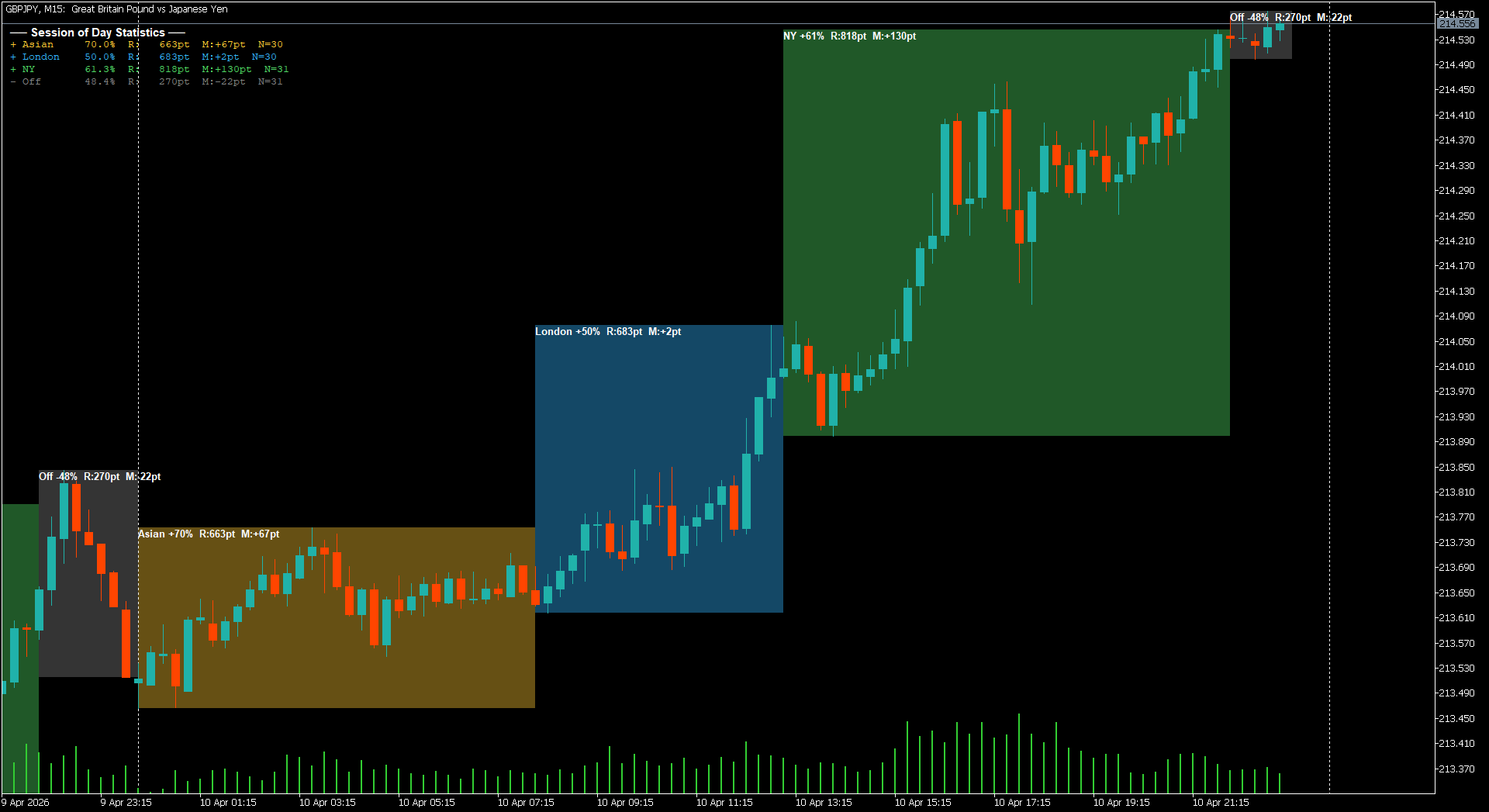
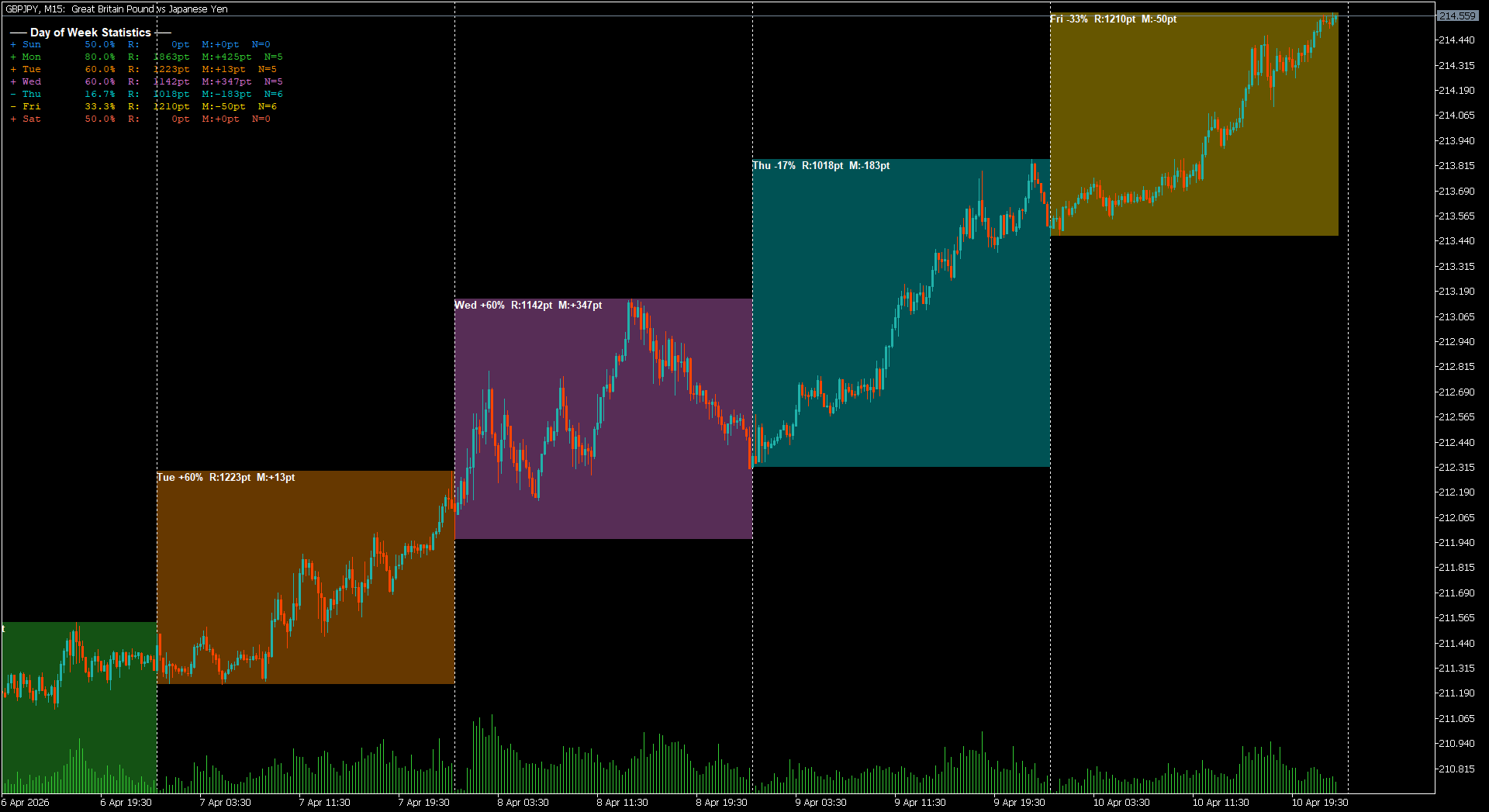
Live Statistical Dashboard: A clean, built-in HUD displays real-time statistics for each period, including Bullish Probability (%), Average High-Low Range (in points), and Average Directional Move.
-
Probability-Tinted Visuals: The indicator draws High-Low boxes for each period. Turn on “Color By Prob” to automatically tint high-probability bullish periods towards green, and bearish periods towards red, giving you an instant visual bias.
-
Custom Session Mapping: Define your exact Asian, London, and New York session hours based on your broker’s server time to isolate liquidity windows.
-
Smart Filtering & Alerts: Filter out the noise by only drawing boxes for periods with a probability above your chosen threshold (e.g., >55%). Set up Push, Sound, and Terminal alerts to notify you the moment a high-probability time window begins.
-
Auto-Weekend Detection: The algorithm intelligently detects if your asset trades on weekends (like Crypto) and adjusts its historical math accordingly.
Elevate Your Trading Business with the Period Visualizer Pro for MT5
-
Compiled Indicator ($20.00): You will receive the ready-to-use .ex5 file. Perfect for manual day traders and swing traders who want to incorporate quantitative time-based data into their daily bias.
-
Source Code ($49.00): You will receive the fully open, professionally commented .mq5 source code. This is an incredible asset for MQL5 developers. Extract the CalcProbabilities logic to build Expert Advisors that only execute trades during historically favorable sessions or days of the week.
Frequently Asked Questions (FAQ)
How is the “Bullish Probability” calculated? The indicator scans your chart’s history based on your Lookback Bars input (default 3,000 bars). If you are using the “Day of Week” mode, it calculates how many times a specific day (e.g., Tuesday) closed higher than it opened, presenting that data as a clear percentage.
What do the R: and M: labels mean on the chart?
-
R (Average Range): The historical average distance in points between the absolute high and low of that specific period.
-
M (Average Move): The historical average directional move in points from the period’s Open to its Close.
Can I set my own custom trading sessions? Yes. If you select MODE_SESSION, you can input the exact start and end hours for the Asian, London, and New York sessions based on your specific MT5 broker’s server time.
Does this indicator repaint? No. The historical probabilities are calculated purely on closed bars. The visual rectangle for the current active period will develop and expand in real-time as price makes new highs or lows, but past data remains fixed.
If I buy the source code, can I use it to filter my EA’s trades? Absolutely. The $49.00 Source Code package gives you the full .mq5 file. You can easily integrate the probability arrays (g_bullProb) into your own Expert Advisors to restrict your bots from trading during low-probability or historically choppy sessions.








Reviews
Clear filtersThere are no reviews yet.