The Dark Algo Expert Advisor is a fully automatic trading tool designed for Scalping Trading on the EURUSD pair. Utilizing the latest generation of algorithms, this EA is highly customizable to suit your trading needs, making it one of the most advanced tools in your trading arsenal.
Key Features:
- Timeframe: H1 (Recommended, but customizable)
- Suitable for EURUSD and other pairs with appropriate settings
- Recommended broker: ECN
- Low latency VPS recommended
- Minimum leverage: 1:20
- Minimum deposit: $1000 USD
- FTMO compatible
Advanced Algorithm: The basic strategy of the Dark Algo EA is built on a sophisticated algorithm that identifies and follows market trends. This algorithm considers a wide range of market data and historical information to make accurate predictions. It adapts to changing market conditions, ensuring optimal performance in various market environments.
Customizable Settings:
- Allow Buy/Sell: Customize whether the EA is allowed to open buy or sell trades.
- Max Number of Orders: Set the maximum number of orders the EA can have open at one time.
- Money Management: Enable/disable money management and set the risk percentage.
- Indicators Settings: Customize settings for the Stochastic and ATR indicators.
User-Friendly: To achieve the best results, it is recommended to study the user manual and create your settings. The Dark Algo EA comes with detailed instructions and set files to help you get started.
Risk Management: The Dark Algo EA includes robust risk management features to protect your capital. You can set the maximum spread, maximum average spread, and use the FIFO closing mode for trades.
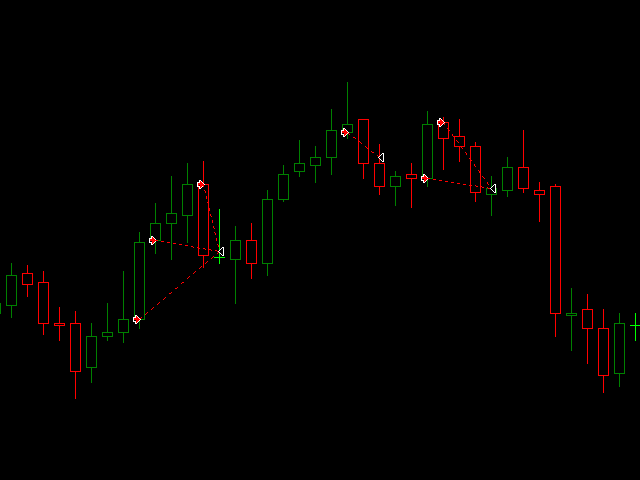
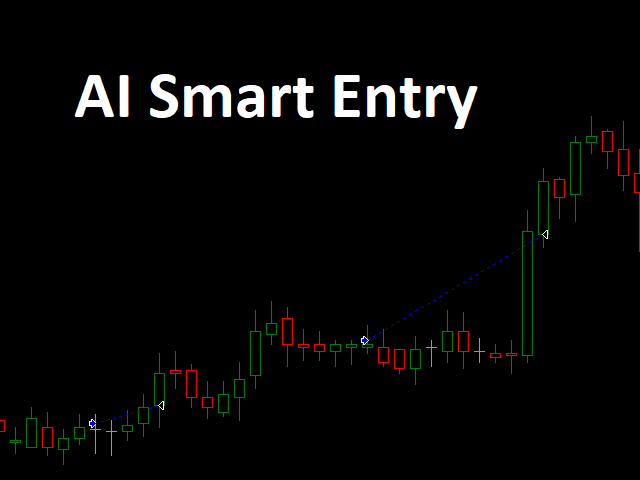
Entry Timing: The EA uses an algorithm to determine the best time to open trades, ensuring optimal entry points and maximizing profit potential.
Installation Instructions:
- Download the Dark Algo Expert Advisor: Obtain the Dark Algo EA from the provided source.
- Open your MetaTrader Platform: Launch your MetaTrader 4 or MetaTrader 5 trading platform.
- Navigate to the “File” Menu: Click on “File” in the top menu bar of your MetaTrader platform.
- Select “Open Data Folder”: From the dropdown menu, select “Open Data Folder.” This will open the data directory of your MetaTrader platform.
- Locate the “MQL4” Folder: Inside the data directory, locate and open the “MQL4” folder.
- Open the “Experts” Folder: Inside the “MQL4” folder, locate and open the “Experts” folder.
- Copy the Dark Algo EA File: Copy the Dark Algo Expert Advisor file (ex4 or mq4) into the “Experts” folder.
- Restart MetaTrader Platform: Close and restart your MetaTrader platform to apply the changes.
- Attach the Expert Advisor to a Chart: Drag and drop the Dark Algo EA from the Navigator window onto the chart of the EURUSD pair (or other pair as per your settings).
- Set the Parameters: In the Expert Advisor settings, configure the parameters according to your trading preferences and risk management strategy.
- Enable Automated Trading: Ensure that automated trading is enabled on your MetaTrader platform. You can do this by clicking on the “AutoTrading” button in the top menu bar.
- Monitor the EA: Monitor the Dark Algo Expert Advisor’s performance and adjust settings as needed to optimize your trading strategy.
Note: It is recommended to test the Dark Algo EA on a demo account before using it on a live account to familiarize yourself with its functionality and ensure its compatibility with your trading style.


Reviews
Clear filtersThere are no reviews yet.