
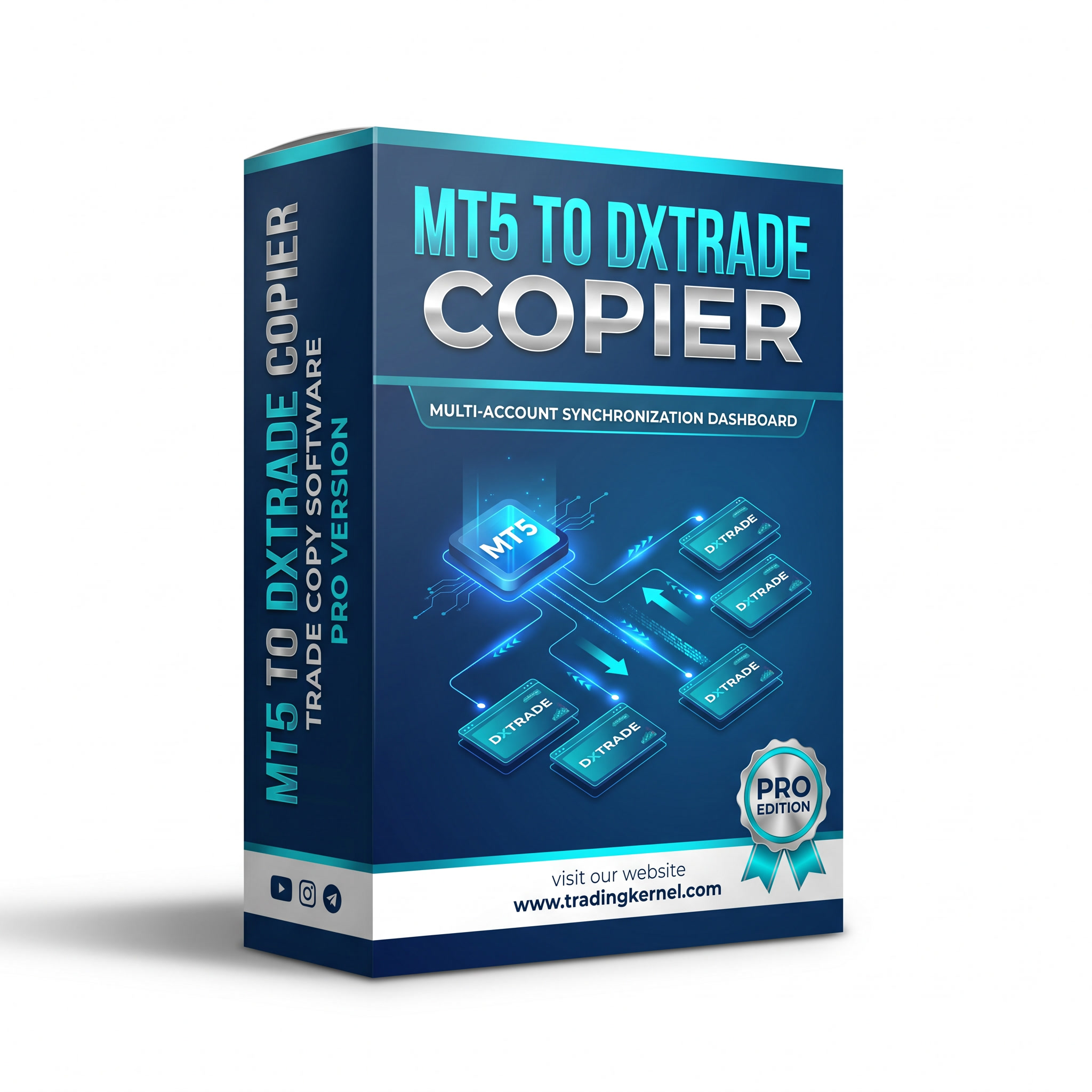
The most powerful MT5 to DXTrade trade copier on the market — now with multi-terminal support. Copy one MetaTrader 5 account into up to 20 DXTrade accounts simultaneously, with individual lot multipliers, symbol filters, and live account metrics per terminal. Built for prop firm traders managing multiple funded accounts. No VPS required. Free lifetime updates included.
✅ 1 MT5 source → up to 20 DXTrade destinations simultaneously
✅ Per-terminal lot multiplier, symbol filters & SL/TP copying
✅ Live balance, equity & PNL dashboard for every terminal
✅ Auto-reconnect, fail-safe close-all, and persistent terminal memory
✅ Prop firm compatible — works with all DXTrade-powered prop firms
✅ Free lifetime updates · Installation support included
MT5 to DxTrade Copier
99.00$ Original price was: 99.00$.49.99$Current price is: 49.99$.
Need help or got any questions?
The Only MT5 to DXTrade Copier Built for Serious Multi-Account Traders
Version 2.0 of the Trading Kernel MT5 to DXTrade Copier is a ground-up rebuild. Where v1.0 handled one MT5 account to one DXTrade account, v2.0 handles one MT5 account to as many DXTrade accounts as you need — each with its own settings, its own live dashboard, and its own independent copy engine. Whether you are scaling a strategy across 3 prop firm accounts or managing 15 client accounts simultaneously, v2.0 was built precisely for that use case.
Multi-Terminal Copy Engine
accounts at the same time. Each terminal runs independently in its own thread.
One crash or disconnect on Terminal 2 has zero effect on Terminals 1, 3, or 4.
The MT5 position data is fetched once per cycle and broadcast to all terminals
simultaneously — no extra API calls, no slowdown as you add more accounts.
DXTrade terminal in one place:
– Combined balance, equity, and open PNL across all accounts
– Per-terminal live metrics (balance, equity, PNL, open positions, open orders)
– Terminal Status Grid — colour-coded online/offline indicators at a glance
– Live Trading Activity table — every open position across all terminals
– System Logs — timestamped record of every copy action and connection event
Per-Terminal Custom Settings
Every DXTrade terminal you add can be configured independently:
– Lot Multiplier — scale position sizes to match each account’s balance
– Symbol Suffix — strip broker suffixes (e.g. “.i”, “z”) before sending to DXTrade
– Symbol Whitelist — only copy specific pairs to a terminal (e.g. EURUSD, XAUUSD)
– Symbol Blacklist — exclude specific pairs from a terminal
– Enable/Disable Copying — toggle individual terminals on or off with one click
– Reverse Trades — flip BUY to SELL on a specific terminal (hedge accounts)
– Domain — configurable DXTrade domain per terminal (defaults to “default”)
SL & TP Copying
independently on each account, immediately after the opening order is confirmed.
A background watchdog thread monitors each terminal independently. If a
DXTrade session drops, the terminal automatically reconnects without any
manual intervention and without affecting other terminals. Session keep-alive
pings run every 25 minutes to prevent timeout disconnections.Persistent Terminal Memory
All added terminals and their settings are saved to disk automatically.
Close the application and reopen it — your terminals are still there, ready
to connect. No need to re-enter credentials every session.
Global Fail-Safe
One click closes every open position across every connected DXTrade terminal
simultaneously and stops the copy engine. Built for emergency use when you
need to go flat across all accounts instantly.
Futuristic Dark/Light Interface
The application has been completely redesigned with a glass-morphism UI.
Toggle between dark and light mode from the header. The Connections page
manages your MT5 connection and terminal list. The Dashboard page shows your
live metrics, terminal cards, activity feed, and system logs — all updating
in real time.
─────────────────────────────────────────────────────────
ALL FEATURES
─────────────────────────────────────────────────────────
– 1 MT5 source → up to 20 DXTrade destinations simultaneously
– MT5 positions fetched once per cycle, broadcast to all terminals (efficient)
– Per-terminal independent order tracking — no cross-account interference
– Unique order codes per terminal prevent orders routing to the wrong account
– SL and TP copied automatically to every terminal
– Lot multiplier per terminal (e.g. 0.1× for a smaller account)
– Symbol suffix stripping per terminal
– Symbol whitelist and blacklist per terminal
– Copy enable/disable toggle per terminal (no need to disconnect)
– Reverse trade mode per terminalConnections & Stability
– MT5 path auto-sanitisation — pasted paths with quotes work automatically
– Auto-reconnect watchdog per terminal (every 30 seconds)
– Session keep-alive ping (every 25 minutes)
– Persistent terminal storage — survives application restarts
– One-click Connect All / Disconnect All
– Global Fail-Safe (close all positions + stop engine)
Dashboard & Monitoring
– Combined balance / equity / PNL summary bar
– Active terminals count (connected / total)
– Copy engine status indicator (live blink when running)
– Per-terminal live cards: balance, equity, open PNL, positions, orders
– Terminal Status Grid — colour-coded at a glance
– Live Activity table — all open positions across all terminals
– System log — every action timestamped and stored
– Dark mode and light mode (toggle from header)
Compatibility
– Works with all DXTrade-powered prop firms that permit copy trading
– Compatible with all MT5 brokers and symbol naming conventions
– Supports suffix and prefix handling for symbol matching
– Windows desktop application (no VPS required, VPS recommended)
– Free lifetime updates included with purchase
─────────────────────────────────────────────────────────
SYSTEM REQUIREMENTS
─────────────────────────────────────────────────────────
|—————–|———————————-|
| Operating System| Windows 10 / 11 |
| Python Runtime | Bundled — no installation needed |
| MT5 Platform | Any broker’s MetaTrader 5 |
| DXTrade Account | Any DXTrade-powered broker/prop |
| Internet | Stable broadband connection |
| VPS | Optional but recommended |
A VPS is not required but is strongly recommended for 24/7 uninterrupted
copying, particularly for prop firm accounts where missed trades could affect
your challenge performance.
─────────────────────────────────────────────────────────
FAQ
─────────────────────────────────────────────────────────
What exactly does this software do?
A: It connects your MetaTrader 5 account (the source) to one or more DXTrade
accounts (the destinations). When you open, modify, or close a trade on MT5,
the same action is replicated on every connected DXTrade account automatically,
within 1–3 seconds.
How many DXTrade accounts can I copy to at the same time?
A: The engine is designed to handle up to 20 DXTrade terminals simultaneously.
Each terminal runs in its own background thread, so performance does not
degrade as you add more accounts.
Does this work with prop firm accounts?
A: Yes. The copier is fully compatible with any DXTrade-powered prop firm that
permits copy trading — including FTMO Mirror, MyFundedFX, The Funded Trader,
and others. Always verify your prop firm’s copy trading policy before use.
Do I need a VPS?
A: No. The application runs on any Windows PC. However, a VPS is strongly
recommended if you need 24/7 uninterrupted copying, particularly for prop
firm accounts where a missed trade matters.
Is this a one-time purchase?
A: Yes. You pay once and receive lifetime access to the software plus all
future updates at no additional cost.
What is included with my purchase?
A: You receive the full application download, free lifetime updates as new
versions are released, and direct installation support from the Trading Kernel
team via WhatsApp or Telegram.
───────────────────────────────────────────
SETUP & COMPATIBILITY
───────────────────────────────────────────
Which DXTrade brokers and prop firms does this work with?
A: The copier works with any platform using the DXTrade trading infrastructure.
This includes prop firms such as MyFundedFX, The Funded Trader, Funding Pips,
and any retail broker running DXTrade. If your firm uses DXTrade and allows
copy trading, this software is compatible.
My MT5 broker adds a suffix to symbols (e.g. EURUSDm, EURUSD.i). Will this work?
A: Yes. Each DXTrade terminal has a Symbol Suffix field. Enter the suffix used
by your MT5 broker (e.g. “m” or “.i”) and the copier will strip it before
looking up the instrument on DXTrade, ensuring correct symbol matching.
Can I use a symbol whitelist or blacklist?
A: Yes. Each terminal has independent whitelist and blacklist fields.
A whitelist means only the symbols you list will be copied to that terminal.
A blacklist means all symbols except the ones you list will be copied.
Leave both blank to copy all symbols.
My MT5 account is $100,000 and my DXTrade account is $10,000. How do I size the lots correctly?
A: Set the Lot Multiplier for that DXTrade terminal to 0.1. Every trade opened
on MT5 will be placed at 10% of the original lot size on that DXTrade account.
Each terminal has its own independent lot multiplier, so you can have different
multipliers for accounts of different sizes.
When I paste my MT5 path it includes quotation marks and doesn’t work. How do I fix it?
A: v2.0 handles this automatically. You can paste a path with or without
surrounding quotes — the application strips them before connecting. You do not
need to manually edit the path.
What format should the DXTrade URL be in?
A: Enter the base URL without a trailing slash. For example:
✅ https://api.yourbroker.com
❌ https://api.yourbroker.com/
The copier handles all API endpoint paths internally.
What should I enter for the Domain field?
A: Leave it as “default” unless your DXTrade broker has specifically told you
to use a different domain value. “default” works for the vast majority of
DXTrade brokers and prop firms.
───────────────────────────────────────────
COPY BEHAVIOUR
───────────────────────────────────────────
Does it copy Stop Loss and Take Profit levels?
A: Yes. SL and TP values set on your MT5 trade are automatically copied to
every DXTrade terminal as separate protection orders — SL as a STOP order and
TP as a LIMIT order — attached immediately after the opening trade is confirmed.
How fast does the copier place trades?
A: Typical copy speed is 1–3 seconds from the time the trade appears on MT5
to the time it is placed on DXTrade. Actual speed depends on your internet
connection, the DXTrade server response time, and how many terminals you are
copying to simultaneously.
What happens if my DXTrade terminal disconnects mid-session?
A: The auto-reconnect watchdog checks each terminal every 30 seconds. If a
session has dropped, it reconnects automatically. The session keep-alive ping
runs every 25 minutes to prevent timeouts in the first place. Other terminals
continue copying without interruption during a reconnect.
If I have two DXTrade accounts with the same broker and same username, will trades go to the correct account?
A: Yes. v2.0 uses the account number to direct trades to the correct account.
Each terminal maintains its own connection with its own session token and sends
orders to its own account endpoint. Trades cannot cross between terminals.
Can I stop copying to one terminal without disconnecting it?
A: Yes. Each terminal card has a “Copy ON / Copy OFF” toggle. Clicking it
pauses copy trading for that specific terminal while keeping it connected and
monitoring its metrics. All other terminals continue copying normally.
What does the Reverse Trades option do?
A: When enabled for a terminal, every BUY on MT5 becomes a SELL on that
DXTrade account, and vice versa. This is useful for hedging strategies where
you want one account to always hold the opposite position.
What happens to open DXTrade positions if I close the application?
A: Existing positions remain open on DXTrade — the application does not manage
them once it is closed. Only new MT5 trades opened after restarting will be
mirrored. It is recommended to close the application only when there are no
open positions, or to use the Fail-Safe button first.
What does the Fail-Safe button do?
A: It immediately closes every open position across every connected DXTrade
terminal and stops the copy engine. Use this in an emergency when you need to
go flat across all accounts instantly.
───────────────────────────────────────────
PURCHASE & SUPPORT
───────────────────────────────────────────
Is there a free trial or demo version?
A: A demonstration video of v1.0 is available on our YouTube channel so you
can see the application in action before purchasing. The v2.0 multi-terminal
interface can be previewed in our Telegram group.
Do I get updates automatically?
A: When a new version is released, you will receive a download link via the
email address used for your purchase. Updates are free for life — no
subscription, no renewal fee.
What if I have trouble installing or connecting?
A: Direct support is available via WhatsApp and Telegram. The Trading Kernel
team will guide you through installation and connection setup at no extra
charge.
Can I use this on multiple PCs?
A: The license covers personal use. If you need to run it on multiple machines
simultaneously (e.g. a home PC and a VPS), contact us and we will find the
right arrangement for you.
Is my data or credentials stored anywhere by Trading Kernel?
A: No. All your DXTrade credentials and MT5 connection settings are stored
locally on your own machine only. Trading Kernel never sees, stores, or
transmits your login information.
What is your refund policy?
A: Given the nature of software downloads, all sales are final once the
download link has been accessed. If you experience technical issues that
cannot be resolved by our support team, contact us directly and we will work
with you to find a solution.
Trusted by Prop Firm Traders Worldwide
⭐⭐⭐⭐⭐ — “I’m running 4 funded accounts simultaneously. This tool saves me
hours every day. Trades hit all four in under 2 seconds.” — Michael R.
⭐⭐⭐⭐⭐ — “The lot multiplier per terminal is exactly what I needed. My
accounts are different sizes and now everything is perfectly scaled.” — Aisha K.
⭐⭐⭐⭐⭐ — “Support was incredible. Tony walked me through setup in 10 minutes
on WhatsApp. The dashboard looks great and it just works.” — James O.
8 reviews for MT5 to DxTrade Copier
Clear filtersYou must be logged in to post a review.


Koffi –
The installation was simple, but I encountered some issues with the suffix compatibility. Looking forward to an update to address this.
Ahmed –
The MT5 to DxTrade Copier is incredibly easy to install. The step-by-step instructions were clear and concise. Highly recommended for all traders!
Carlos –
El proceso de instalación fue sencillo, pero me gustaría ver más personalización en las configuraciones de la cuenta. Espero futuras actualizaciones del equipo de Trading Kernel.
Emma –
The installation process was smooth, but the copier sometimes lags. It would be great if the developers could address this in future updates.”
Giovanni –
L’acquisto è stato semplice e veloce. Ho ricevuto il link per il download subito dopo il pagamento. Ottimo servizio clienti!
John –
The installation process was straightforward and simple. I had the MT5 to DxTrade Copier up and running in no time. Great job by the developers!
Maria –
¡Instalar este copiador fue extremadamente fácil! Solo unos pocos pasos y todo funcionó perfectamente. ¡Muy recomendable!
wang –
安装过程非常简单。我可以立即开始使用MT5到DxTrade的复制器。非常棒的产品