


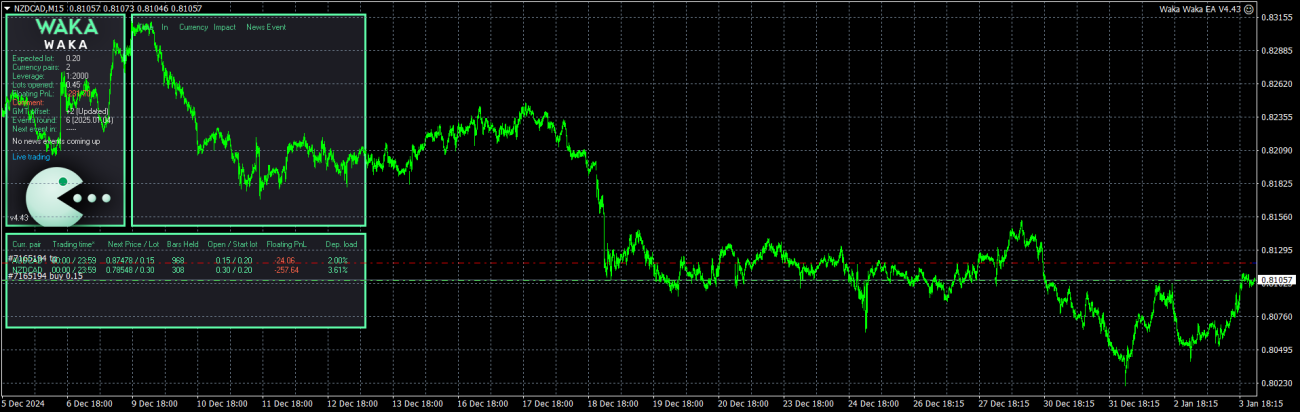
Waka Waka EA for MT4 Version 4.43 (No DLL Needed), is now available on Trading Kernel, for only 49$, along with script to load images. Instant and lifetime download.
See Live MyFxBook Performance
https://www.myfxbook.com/members/Tradingkernel/reversal-strategy-live/11415223
Platform: MT4
Currency Pairs: AUDCAD, AUDNZD, NZDCAD
Trading Time: 15 Minutes.
Trading Sessions: All Sessions (Auto Set)
Broker: All ECN Accounts (Only).
Bot Strategy: Grid & Hedging
Back testing: Enabled
Panel: Available
$100-$300 Recommended ($1000) for NZDUSD and Multi Pair Trading
Multiple Strategy : Default
799.00$ Original price was: 799.00$.199.99$Current price is: 199.99$.
Need help or got any questions?
Out of stock
Waka Waka is the advanced grid system which already works on real accounts for years. Instead of fitting the system to reflect historical data (like most people do) it was designed to exploit existing market inefficiencies. Therefore it is not a simple “hit and miss” system which only survives by using grid. Instead it uses real market mechanics to its advantage to make profit
See Our Live Performance from using this EA.
https://www.myfxbook.com/members/Tradingkernel/reversal-strategy-live/11415223
Supported currency pairs: AUDCAD, AUDNZD, NZDCAD
Recommended timeframe: M15
Allowed URL’s
- https: //ec.forexprostools.com
- https: //www.worldtimeserver.com
- http: //timesrv.online
- http: //valeryservice.com
Features:
- One Chart Setup: you only need one chart to trade all symbols
- Multiple currency pairs support
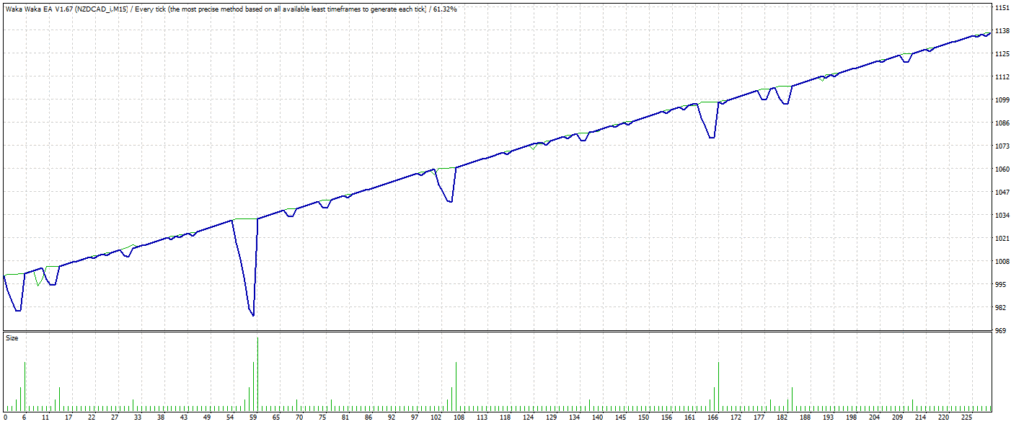
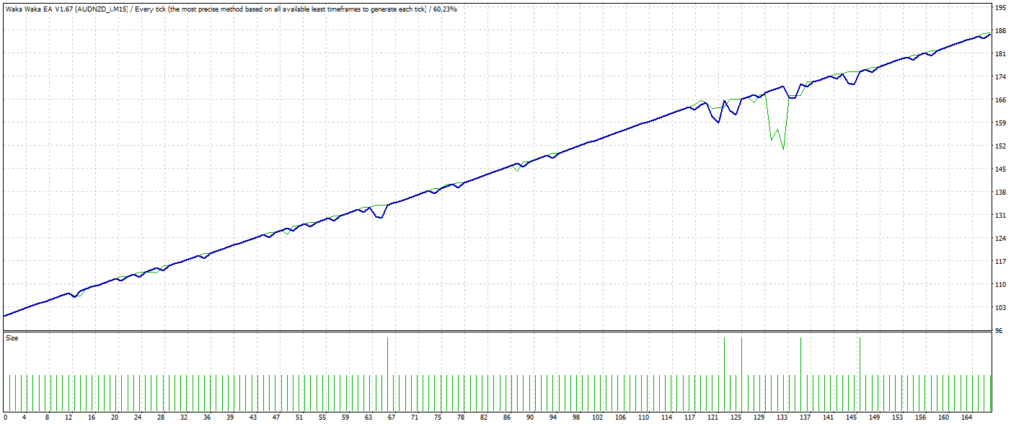
- Solid backtest and live performance
- No need to adjust GMT
- Very easy to use: just read 3 lines of instructions below
- Much cheaper than available high-quality alternatives
How to install
- The EA must be attached to ONLY one M15 chart, AUDCAD is recommended
- If your broker uses a suffix (e.g. AUDCAD.a) you should update names in the Symbol parameter
- Use recommended pairs only. You don’t need .set files, all settings are stored internally in the EA
Requirements
- The EA is NOT sensitive to spread and slippage. But I advise using a good ECN broker
- The EA should run on a VPS continuously
- With only 1:30 leverage I advise not to use higher than low risk settings on a less than $6000 account, otherwise you might have problems with free margin. With 1:100 leverage it should be fine with up to significant risk setting on a $1000 account
MM & Risk settings
- Allow Opening a new Grid – on/off opening of new grids. It does not affect the already open grids
- Lot-sizing Method – select the lot sizing method according to the risk you want to take: Fixed Lots will use fixed lot size from the “Fixed lot” parameter, Dynamic Lots will use ‘Dynamic Lot’ parameter, Deposit load will calculate lots based on deposit load%, and 4 predefined presets will calculate risk automatically for you
- Fixed Lot – fixed trading lot for the initial trade.
- Dynamic Lot (Balance/Equity based) – balance/equity to be used per 0.01 lot
- Deposit Load % – % of the deposit that will be totally used to open the initial trade
- Maximum Lot – max allowed trading lot
- Maximum Spread, in pips – maximal allowed spread
- Maximum Slippage for a non-ECN acc, in pips – max allowed slippage
- Maximum Symbols at a time – max allowed number of symbols that can be opened at the same time
- Allow Hedging – allow opening multi-directional trades on the same symbol
- Allow Trading on Holidays – on/off Christmas/New Year trading filter
- Allow to Buy/Sell – on/off Buy/Sell trades
- Maximum Drawdown Percent – if current floating drawdown exceeds the specified % the EA will close open positions
Strategy
- Symbols – symbols separated by comma (custom if empty)
- Bollinger Bands Period – period of BB used to calculate the upper/lower levels
- RSI Period – period of RSI used to filtering out trades with small potential.
- Maximum RSI Value – value for the RSI filter
- TakeProfit for Initial Trade, in pips – take profit for the initial trade (if no grid trades opened)
- TakeProfit for Grid, in pips (weighted if zero) – take-profit for the grid. If zero, then TP is weighted, i.e. it is equal to TP of the initial order in money (not in pips!)
- StopLoss for Grid, in pips (1000 pips if zero) – stop-loss for the initial/grid trades
- Hide StopLoss – on/off stop-loss hiding
Grid settings
- Trade Distance – min. step in pips between grid(averaging) trades
- Smart Distance – auto- adjusts the trade distance depending on market volatility
- 2nd Trade Multiplier – multiplier for the 2nd trade
- 3rd-5th Trade Multiplier – multiplier for the 3rd-5th trades
- 6th- Trade Multiplier – multiplier for the 6th-…. trades
- Maximum Trades – max number of grid(averaging) trades
Others
- Trade Comment – comment for orders
- UID (0…9) – unique EA instance number. Usually no need to change it
- ShowPanel – on/off Info-panel
Trading View
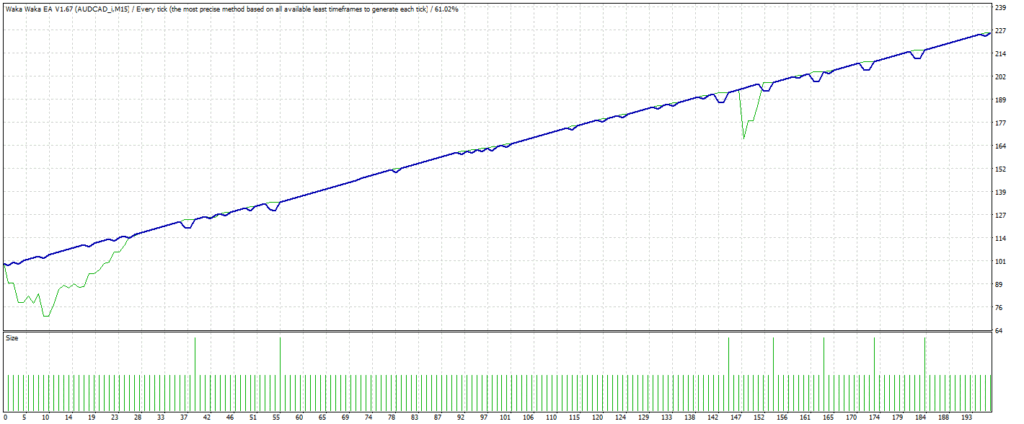
Report Graph
| Platform |
Meta Trader 4 |
|---|---|
| Developer |
1 review for Waka Waka EA version 4.43
You must be logged in to post a review.

RELATED PRODUCTS
Blazzers Beast 2.0 Pro for MT4 and MT5
Elevate your forex trading with Blazzers Beast 2.0 PRO, a high-frequency scalping EA from Trading Kernel This powerful EA can potentially flip accounts by leveraging advanced pinbar detection, candlestick analysis, and indicators like WPR and AO. Designed for speed and precision, it executes rapid trades to capture small price movements, offering customizable lot sizes, trailing stops, and stop-loss/take-profit settings. Its news filter avoids volatile market events, ensuring safer trades, while the user-friendly dashboard displays real-time trade data. Perfect for beginners and pros, Blazzers Beast 2.0 PRO supports ECN brokers and up to five orders for maximum profitability. Get it now at tradingkernel.com
sojiolugbesan –
WakaWaka has proven to stand the test of time with a track record of making stable progress over many months.
The installation guide provided by the TradingKernel team makes it easier to install and makes the trading experience worthwhile.
Wakawaka EA has settings for whatever type of result you want, but the conservative settings are best for prop accounts.